Back to: PIXIE Certified Installers Training Course
Hints and Tips
Recommended Booster for 2022 and Gen3 Product Installations
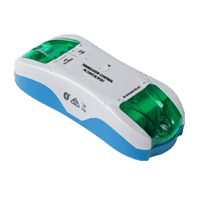
We recommend the PIXIE Translator – Part# PC100T-R-BTAS – for homes where ALL GEN3 products are being used.
This devices requires a permanent Active and is a passive device that does not appear in the device list.
⇒ Read knowledgebase article for a complete how-to ( opens new tab )
Best places to install PIXIE Bluetooth Mesh Boosters?
Find a permanent active, and safely wire and connect which ever version you have chosen. Often in a discreet spot, out of view of the home owner such as in the ceiling space near a downlight hole ( for future servicing needs)
But where are the best spots for the best PIXIE BT Mesh performance, especially in double-brick or concrete-built homes?
- Smoke Detectors – Wherever there is a smoke detector install a PIXIE Booster. You already have a permanent active – which is needed – and these are typically already distributed throughout the home.
- WAP – Wireless Access Points – If a home needs WAP for their WiFi (2.4Ghz wireless) then chances are PIXIE (2.4Ghz Bluetooth) will need it too even with the BT mesh in proper working order. Either use the permanent active OR if the WAP has a USB input (1A output) then plug the booster right in.
- Bottom and Top of Stairs – 2-story homes need their floor’s BT mesh ‘knitted’ together. Installing a booster on or very near to each of the stair landings achieves this outcome in most instances.
Carry the following items in your vehicle to save time one site:
- 1 or more PIXIE Translators – Part# PC100T-R-BTAS
- 1 or more PIXIE USB Boosters – Part# SGB/BT – End of life in 2022
- 1 or more PIXIE Smart Plugs – Part# ESS105BT
Remember the PIXIE Translator, USB Booster and Smart Plugs, must be added to the PIXIE home before it operates as a booster. There is no configuration needed, simply add it to the home.
We recommend when first setting up a home to add your PIXIE Boosters to the mesh first and then add your master PIXIE devices.
2022 Recommended PIXIE Booster to use – PC100T-R-BTAS
- Used to extend the range of PIXIE Bluetooth mesh network in a PIXIE Home.
- Requires a permanent active to always be on.
- Also useful as a dry-contact input device
- Device MUST be added to PIXIE home via the PIXIE or PIXIE PLUS Apps to operate correctly.
- Comes with Bluetooth mesh technology
⇒ Download Datasheet
⇒ Download Installation Manual
⇒ Detailed Usage and Instructions
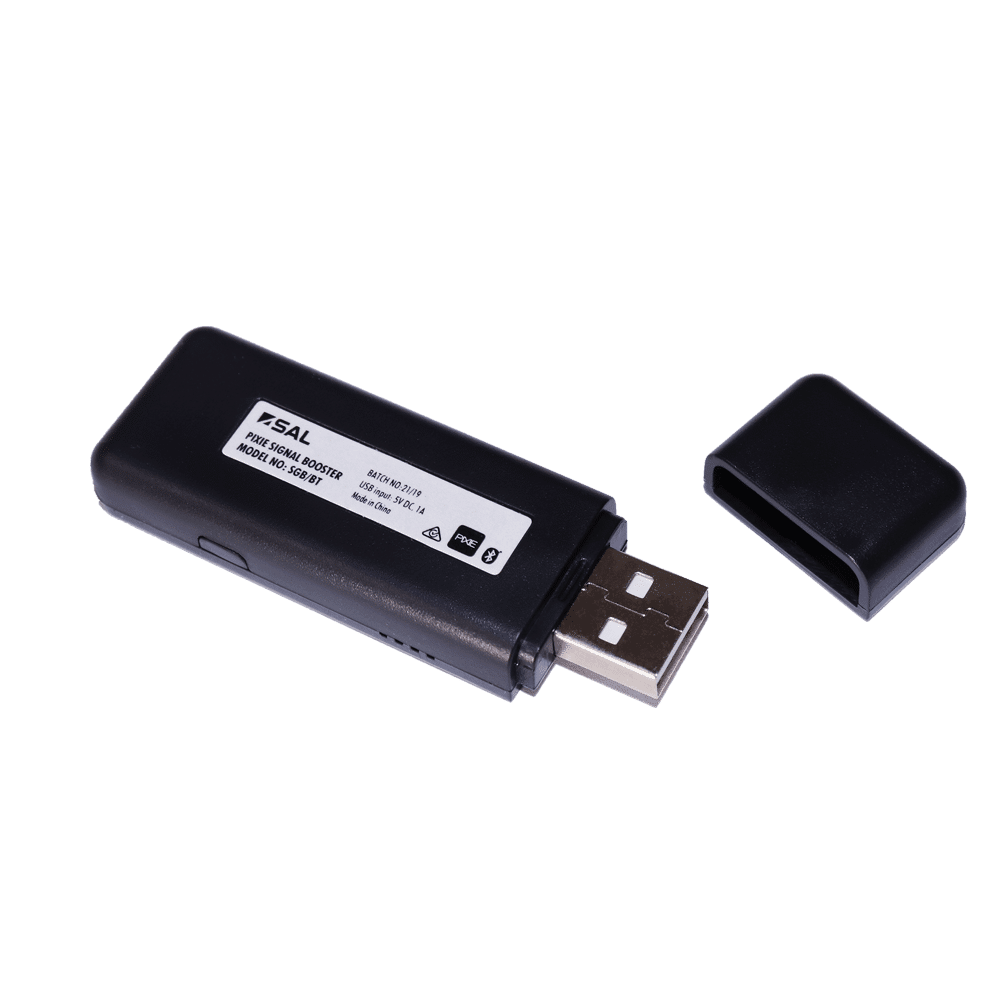
- Used to extend the range of PIXIE Bluetooth mesh network in a PIXIE Home.
- Device MUST be added to PIXIE home via the PIXIE or PIXIE PLUS Apps to operate correctly.
- Device must be powered by a 5v DC supply. Ideal to plug into phone chargers, USB outlets on TV’s, Modems, power points – as long as they provide 5v DC output.
- Mounting in a weather-proof adaptable box, outside under the house’s eaves is an effective way to provide outdoor control.
- Comes with Bluetooth mesh technology
FAQs
Important Documents & Links
All documents will open a seperate window and are linked to the original source document on the PIXIE Partners website.
- Download PIXIE Troubleshooting Guide from PIXIE Partners
- Download USB Booster installation manual from PIXIE Partners.
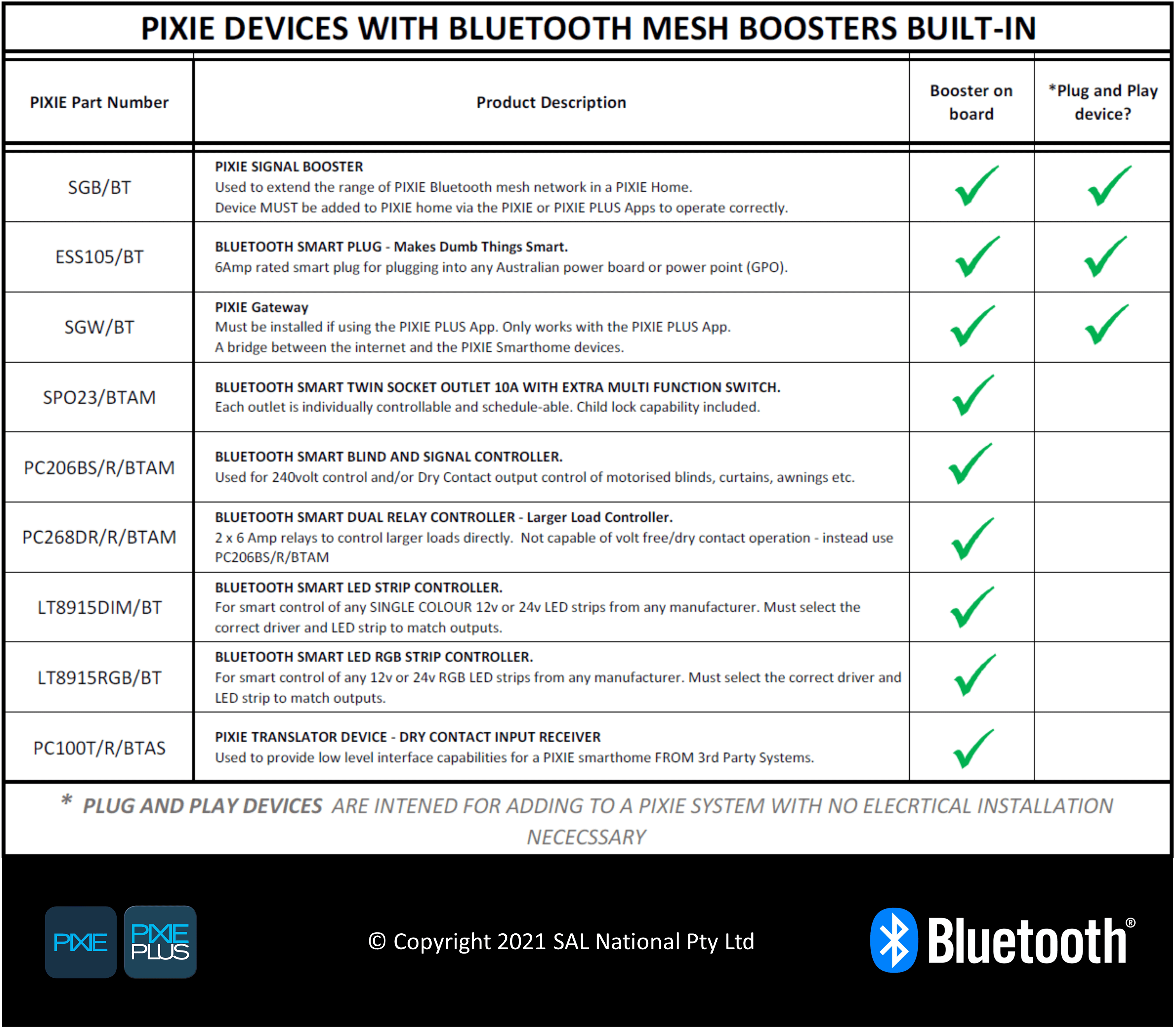
- Download the List of Bluetooth Mesh Boosted devices from PIXIE Partners.
Transcript
Open the toggle below to view entire transcript of the lesson video. If no content is found then the transcript is still being processed, check back another time.
Video Lesson Transcript
SIMON:
If you’re in an environment, in somebody’s home and you are seeing that there’s some communications issues between the PIXIE Smart Home Devices, one of the solutions we have is a little PIXIE Bluetooth booster, which is a little USB item.
Very, very simple little device. You simply get a phone charger, a five volt, one amp phone charger and plug the device in and then power it. Now, our recommendation is that this isn’t in an area where the consumer can see it, or the homeowner can see it. Our recommendation is that you find a permanent active in your ceiling, install a plug base, typically near a downlight hole, install the device in, the plug base in the hole. It’s a passive device from then on. It literally creates an antenna and an additional repeater for that Bluetooth signal.
SIMON:
One of my recommendations if you’re doing a two-story home for example, just as an insurance policy, is to always put one at the base of the stairs and one at the top of the stairs, they kind of knit the first floor and the ground floor together and ensure that you’re not going to have those problems later. These are a very inexpensive device. Our recommendation is that as a PIXIE certified installer, that you would carry a number of these in your van. You would always cost it into the project one or more, depending on the size of the home and the construction of the home. Then at least you know that you’re not going to have the problems and the customers are going to have the best experience with their smart home system.
Got Questions or Comments about this Lesson?
7 Comments
Submit a Comment
You must be logged in to post a comment.
In the video you mention that devices quite easily create a mesh around the home using the each device in the system. You further discuss how this works with the devices that may be in certain rooms. However neither switches nor dimmers are included as relay points in the attached document. Given that these are likely the most common devices in the installation, does this mean that to create an effective mesh environment you have to install additional devices with bluetooth mesh boosters inbuilt and not simply the switches and dimmers?
Yes all PIXIE master devices and most secondary devices are mesh points too – they are just not shown on that image.
The devices in the list have BOOSTERs built in, in that they are a STRONGER mesh point with a greater Bluetooth range capability mainly due to the neutral supply allowing signal boost to occur.
i can understand how that can be confusing – All PIXIE Master devices are mesh points too.
If a home is only using pixie devices at one end of the home, and it is in excess of 15m to the rear of house or has brick walls.
Would you use the booster as an extension so you can still use the app ie app connects to the booster, or is purely a repeater and you would need a device for the app to talk to?
Hope that makes sense
Yes exactly how you could use it !
Hi,
I have completed this section and will not let me progress anyfurther.
Can someone please manually progress me through this section? No matter what I do it won’t close me out of this training section – have watched all videos 3+ times and clicked complete to no avail.
Please try again now