Back to: PIXIE Certified Installers Training Course
There is no video for this lesson
Visit the SAL PIXIE youtube “SHORTS” Channel to see which plates PIXIE fits into.
Hints and Tips
PIXIE smart dimmers, switches and timer modules are a standard mechanism size for easy fitment in wall plates.
Mix and Match dimmers, switches and timers to meet the individual control you need in each individual room with PIXIE’s smart modules.
In each PIXIE module you are provided the following:
- 3 switch caps – for compatibility
- Silicone Spacer – for an improved switching feel on some plates
- CAPACITOR – watch the video lesson to learn more.
We sell gloss black switch caps to match these 3 styles as well.
Download the complete PIXIE Product List for all part numbers.

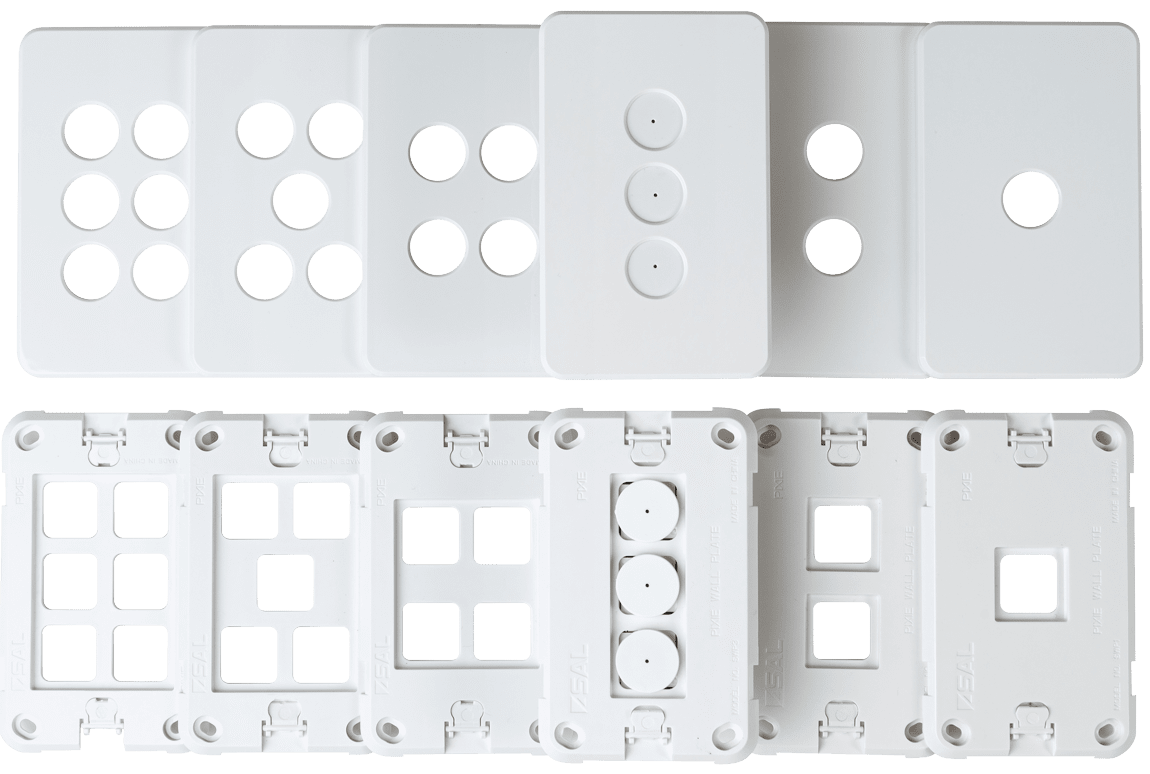
The PIXIE Ambience range needs to be ordered as 2 seperate parts:
- The wall plate – from 1 gang to 6 gang (part# SWP1 = 1 gang; part# SWP6 = 6 Gang)
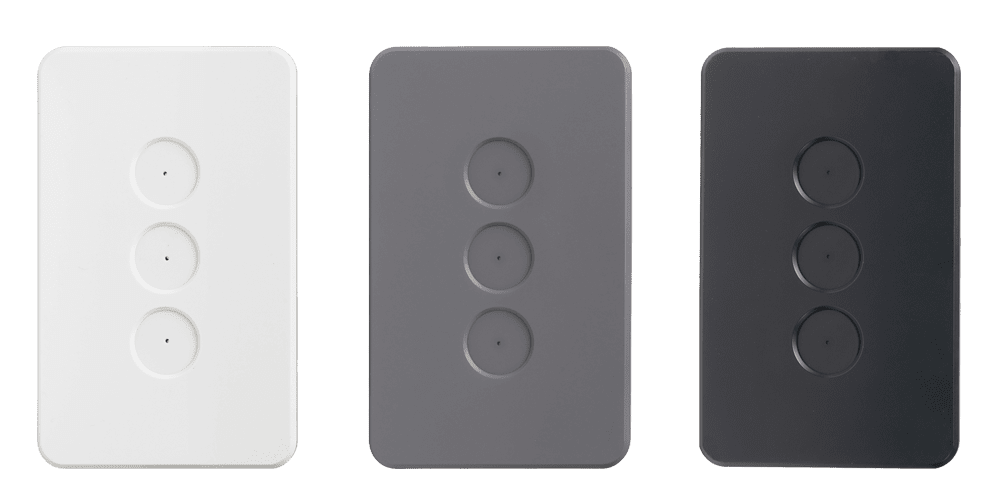
- The face plate – from 1 gang to 6 gang in gloss white, matt black and matt gray
FAQs
All FAQ’s open a seperate link to the original FAQ on the PIXIE Partners website.
Nothing to see here this time…
Important Documents & Links
All documents will open a seperate window and are linked to the original source document on the PIXIE Partners website.
View the PIXIE Ambience Wall plate and Faceplates on PIXIE Partners:
https://pixiepartners.com.au/product/pixie-ambience-wall-plates-and-faceplates/
Find all part numbers for PIXIE Ambience wall / face plates on the SAL website:
Read about Click, Clack, Snap on the PIXIE PLUS Consumer website:
https://pixieplus.com.au/style-and-design/
Transcript
Open the toggle below to view entire transcript of the lesson video. If no content is found then the transcript is still being processed, check back another time.
Video Lesson Transcript
No video
Got Questions or Comments about this Lesson?
Hi Shennal, yes we’ll give you a call.
Could you explain why the Bluetooth Smart Switch (SWL 350BT G2) is not suitable for ceiling sweep fans.
Thanks
A ceiling fan comes in 2 versions – an AC version and a DC version
A PIXIE SWL version switch can control the power to a DC fan if that is what is required but it cannot control speed for example. Powers on/ Powers off only and there is a limit to the motor load the switch can control – typically less than 80w as the motor load is inductive.
Like wise for an AC fan, which typically have a dedicated ‘fan control’ which is installed in the wall as the controller – is actually 1 or more capacitor is series which then controls the speed of the AC fan.
How to do that with PIXIE is covered later in the training and is essentially via the PIXIE Dual Relay controller.
can they fit into hagar silhouette switchs ?
Yes you simply need to choose the HYBRID grid plate from HAGER and they fit right in.
G’day champ
im looking for a way to give power to a fan and and control some downlights utilizing a already run single switch wire (twin and earth ) , do you have any options or solutions for this ?
thanks
Connor
Hello.
In one of your videos you show Pixie finding Mitsubishi AC as native device once the Mitsubishi Wifi device has been installed.
Would you be able to confirm if this would also work the same for a Daikin VRV system where individual indoor VRV units are installed with a ‘Daikin DKN Cloud Wi-Fi Adapter for VRV (P1P2)’?
I am thinking that if this works then there is no need to install the ‘PIXIE Smart Aircon Controller DK for DAIKIN’.
Thank in advance.
No this would not operate the same. You would need to install a PIXIE DK AC controller per VRV unit. If you had a ducted Daikin system you would only require one. But with VRV,one per room is needed. Do NOT use the Daikin cloud adapter.